
Budget Tyme1.0.5 - Google Play
You'll be able to see results in few seconds.
Publisher Description

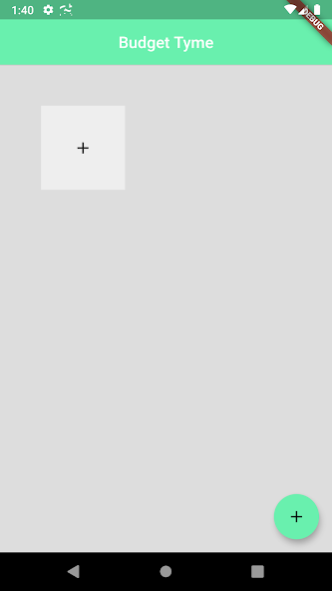
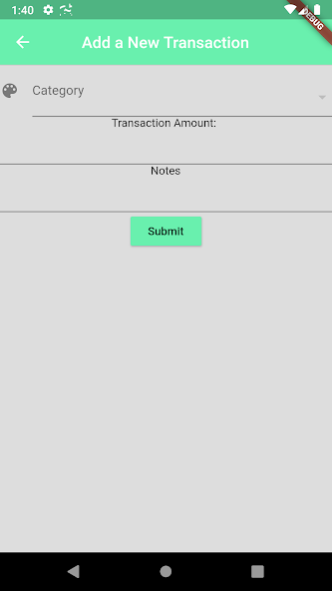
Budget Tyme is a continuous budgeting app that makes sticking to a budget easier. With Budget Tyme, when you set a monthly budget for a certain category, you are continuously given part of that allowance every second throughout the month. This means that, as long as your balance in a budgeting category is positive, you're on track to meet your monthly budgeting goals. Want to stop and get a coffee before work? Check your coffee budget. Want to eat out somewhere fancy on the weekend? Pack a lunch a few days during the week to save up the money.
Budget Tyme stops that feeling of living paycheck to paycheck because the continuous flow of money makes it feel like you're always getting paid! With Budget Tyme, you can stop worrying about how you're spending your money and whether you'll make it through the month and start enjoying spending it, without any feelings of guilt or regret.
About Budget Tyme
The company that develops Budget Tyme is Chandler Jearls. The latest version released by its developer is 1.0.5.
To install Budget Tyme on your Android device, just click the green Continue To App button above to start the installation process. The app is listed on our website since 2020-03-08 and was downloaded 0 times. We have already checked if the download link is safe, however for your own protection we recommend that you scan the downloaded app with your antivirus. Your antivirus may detect the Budget Tyme as malware as malware if the download link to budgettyme.first_project is broken.
How to install Budget Tyme on your Android device:
- Click on the Continue To App button on our website. This will redirect you to Google Play.
- Once the Budget Tyme is shown in the Google Play listing of your Android device, you can start its download and installation. Tap on the Install button located below the search bar and to the right of the app icon.
- A pop-up window with the permissions required by Budget Tyme will be shown. Click on Accept to continue the process.
- Budget Tyme will be downloaded onto your device, displaying a progress. Once the download completes, the installation will start and you'll get a notification after the installation is finished.
Program Details
System requirements
Download information
Pricing
Version History
version 1.0.5
posted on 2020-03-08
Adding better graphing, so the graphs should have the same slope everywhere. Before, the slope changed depending on the value of the balance from transaction to transaction. Now, each transaction on the graph shows a before and after balance, which allows for better understanding of the impact of individual transactions.
version 1.0.4
posted on 2019-11-19
Charts set to show only the past month, not the entire history of the category
version 1.0.2
posted on 2019-11-18
Added charts of category balance
version 1.0.3
posted on 2019-11-18
Fixed the new charts pushing the delete and edit buttons off the Category Edit screen and improved the charts so that they show your current balance on the transactions chart
version 0.0.5
posted on 2019-10-06
First production release
version 0.0.5
posted on 2019-08-20
This update allows choosing a starting balance of $0 when creating a budget category.
version 0.0.4
posted on 2019-08-19
Edit Budget tab was broken, this update fixes that and makes the forms easier to use by moving the titles of each text field under the field
Disclaimer
Official Google Play Link
We do not host Budget Tyme on our servers. We did not scan it for viruses, adware, spyware or other type of malware. This app is hosted by Google and passed their terms and conditions to be listed there. We recommend caution when installing it.
The Google Play link for Budget Tyme is provided to you by apps112.com without any warranties, representations or guarantees of any kind, so access it at your own risk.
If you have questions regarding this particular app contact the publisher directly. For questions about the functionalities of apps112.com contact us.
